This is an old revision of the document!
LXQt on FreeBSD
LXQt is the Qt port and the upcoming version of LXDE, the Lightweight Desktop Environment. It is the product of the merge between the LXDE-Qt and the Razor-qt projects.
Heavily work in progress, it needs some components of Plasma 5 (the new major KDE’s workspace).
{{lxqt/lxqt-0.11.1.png?150 LXQt 0.11.1}}
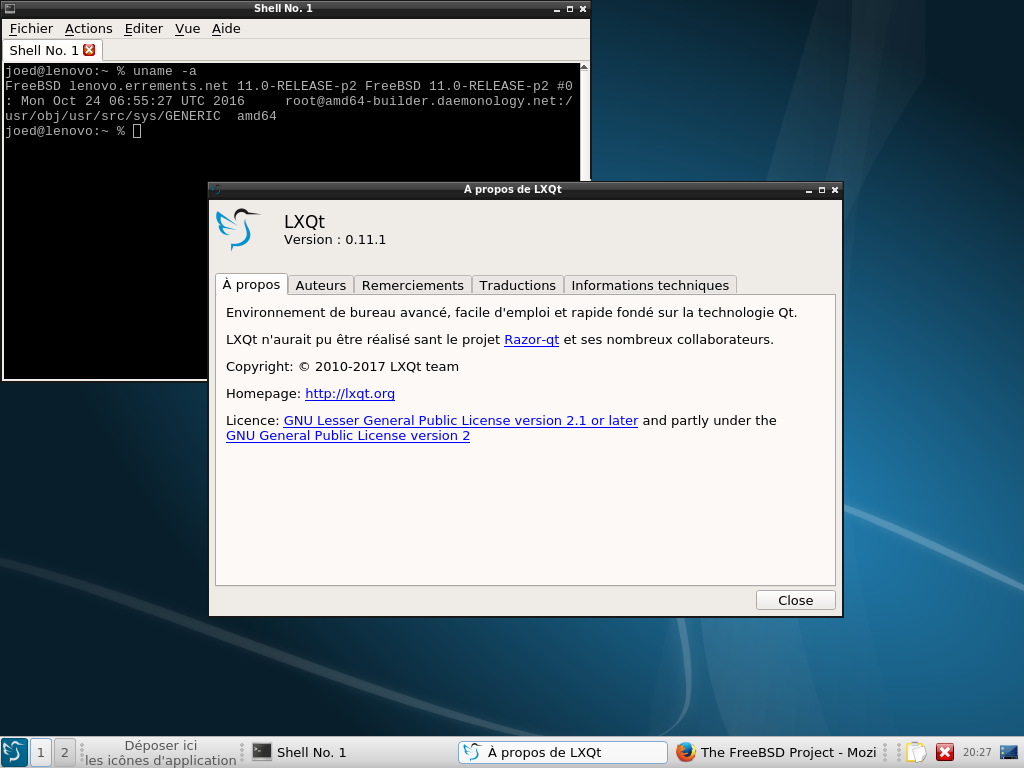
Review D5002 (import some components, r426375)
PR 215650 for support in Porters Handbook.
Install the LXQt (0.11) desktop
1. Clone the development KDE repository (area51):
% mkdir plasma5 ; cd plasma5
% svn co http://area51.pcbsd.org/branches/plasma5/KDE .
2. Fetch kdemerge script:
% fetch http://area51.pcbsd.org/trunk/area51/Tools/scripts/area51 -o ~/kdemerge
3. Merge the KDE components into the official ports tree:
# sh kdemerge -d plasma5 /usr/ports
svn status in order to see changes. Mk/bsd.port.mk.3. Clone the LXQt repository.
The best way is to fetch lxqtmerge script. Adjust LOCAL_REPO and PORTSDIR variables before to run it.
% fetch https://subversion.assembla.com/svn/lxqt/trunk/Tools/scripts/lxqtmerge
Below different options:
usage: lxqtmerge options

options:
  -h    display this help
  -c    clone remote repository
  -m    merge into the ports tree
  -u    update local repository
  -r    revert changes
# lxqtmerge -c
# lxqtmerge -m
Now you are able to compile the meta-ports x11-wm/lxqt and x11/lxqt-l10n (translations of each LXQt components).
List of ports
- audio/pavucontrol-qt
- audio/pavucontrolqt-l10n
- deskutils/lxqt-notificationd
- deskutils/lxqt-notificationd-l10n
- deskutils/qlipper
- devel/liblxqt
- devel/liblxqt-l10n
- devel/libqtxdg
- devel/lxqt-build-tools
- graphics/lximage-qt
- graphics/lximageqt-l10n
- misc/lxqt-common
- security/lxqt-openssh-askpass
- security/lxqt-openssh-l10n
- security/lxqt-sudo
- security/lxqt-sudo-l10n
- sysutils/lxqt-admin
- sysutils/lxqt-admin-l10n
- sysutils/lxqt-config
- sysutils/lxqt-config-l10n
- sysutils/lxqt-policykit
- sysutils/lxqt-policykit-l10n
- sysutils/lxqt-qtplugin
- x11/compton-conf
- x11/libfm-qt
- x11/libfmqt-l10n
- x11/lxqt-about
- x11/lxqt-about-l10n
- x11/lxqt-compton-l10n
- x11/lxqt-globalkeys
- x11/lxqt-globalkeys-l10n
- x11/lxqt-l10n (meta-port)
- x11/lxqt-runner
- x11/lxqt-runner-l10n
- x11/qterminal (PR 0.7.1)
- x11/qterminal-l10n
- x11-fm/pcmanfm-qt
- x11-fm/pcmanfmqt-l10n
- x11-toolkits/qtermwidget (PR 0.7.1)
- x11-wm/lxqt (meta-port)
- x11-wm/lxqt-panel
- x11-wm/lxqt-panel-l10n
- x11-wm/lxqt-session
- x11-wm/lxqt-session-l10n
- x11-wm/obconf-qt
- x11-wm/obconfqt-l10n
Known issues (and fixes)
It's advised to use UTF-8 as character encoding, especially for Western Europeans users (some translation are not well displayed in settings widgets).
If PCManFM-qt crashes, when you leave your session, create the ~/Templates directory. Or install devel/xdg-user-dirs.
Tips
PCManFM-qt is able to use UDisks2 service (for removable storages), install sysutils/bsdisks.
Starting the desktop
Using .xinitrc
% cp /usr/local/bin/startlxqt ~/.xinitrc
The QT_QPA_PLATFORMTHEME variable is not well defined, replace lxqt by qt5ct.
Make lxqt-leave's power commands work
LXQt depends on ConsoleKit2 (fork, PR 202269). In ports tree only ConsoleKit is available (sysutils/consolekit). However it can be found in the Xfce development repository (see the FAQ).
1. Get the port:
svn co https://subversion.assembla.com/svn/xfce4/trunk/sysutils/consolekit
2. Copy it to your ports tree (Replacing the existing sysutils/consolekit)
- Remove previous
files/directory (patches are already in ConsoleKit2)
3. Rebuild every port (installed on your system), which depends of sysutils/consolekit.
- To know which ports need to be rebuild, try the following command:
pkg query %ro consolekit
If it's a fresh install, this command is better:
pkg rquery %ro consolekit
ports-mgmt/poudriere or ports-mgmt/synth is recommanded way.
Uniform look for Qt and GTK+ widgets
You must install additional widget styles.
- Breeze is the default Qt style of Plasma (it supports Qt4/Qt5 and GTK2/GTK3 toolkits)
- Adwaita is the default GNOME theme (it supports only GTK2/GTK3 toolkits. For Qt4/Qt5 support, install
x11-themes/adwaita-qt4orx11-themes/adwaita-qt5)
Support of GTK3
Create .config/gtk-3.0/settings.ini file:
[Settings]
gtk-theme-name = Adwaita # or Breeze
gtk-font-name = DejaVu Sans 11}}}

==== Support of GTK2 ====

Create `.gtkrc-2.0` file:

{{{
include "/usr/local/share/themes/Adwaita/gtk-2.0/gtkrc"}}}

For Breeze theme:

{{{
include "/usr/local/share/themes/Breeze/gtk-2.0/gtkrc"}}}

And add '''GTK2_RC_FILES''' variable in `.xinitrc`:

{{{#!highlight sh
#!/bin/sh

[...]

export GTK2_RC_FILES="$HOME/.gtkrc-2.0"
Support of QT5
Install misc/qt5ct, and select style in Appearance tab, or in .config/lxqt/lxqt.conf replace Fusion by new style (for example adwaita):
[...]

[Qt]
style=adwaita}}}

==== Support of QT4 ====

Install `misc/qt4-qtconfig`, then run '''qtconfig-qt4''' (you can check in `.config/Trolltech.conf` the value of '''style''' variable).

=== Changing the window manager ===

By default it's Openbox, Kwin is also available:

{{{
# pkg install plasma5-kwin}}}

Then go to '''Preferences''' -> '''LXQt settings''' -> '''Session settings''' and select `kwin_x11`.

== TODO ==

 * Port libsysstat (currently it requires some Linuxisms, `/proc` and `/sys/devices`)

== Contact ==

 * Jesper Schmitz Mouridsen ([[https://github.com/jsm222|GitHub profile: jsm222]])
 * olivierd

== Contributors ==